



click to get service View profile
Redesigning a website often sounds like the perfect solution to outdated visuals, poor user engagement, or low conversions. Businesses invest heavily in new layouts, colors, and features hoping for an instant boost in performance. Yet, research shows that most website redesigns fail to deliver the expected results. Instead of driving growth, they often lead to confusion, loss of traffic, and even decreased conversions. The core issue is not the redesign itself, but the way it’s approached—focusing too much on aesthetics and trends while overlooking user experience, strategy, and data-driven insights.
Avoid Website Redesign Disasters: A Step-by-Step Guide
Website redesigns often begin with high expectations—modern layouts, sleek interfaces, and the promise of higher conversions. However, many businesses experience a website redesigns fail, with nearly 80% of projects underperforming. The main reason is an overemphasis on aesthetics while neglecting functionality, user experience, and proper planning. Without a structured approach, UX problems accumulate, critical features break down, and the risks associated with a redesign quickly escalate, undermining both performance and business goals.
The hidden costs of a failed redesign:
- 10–40% drop in organic traffic.
- Slower site speeds that drive away mobile users (who make up 60% of visits).
- Complicated user journeys that reduce conversions.
- Loss of leads, brand credibility, and growth.
Retailers alone lose $2.6 billion annually due to slow websites (Hostinger).
How to avoid failure:
- Define clear goals, timelines, and budgets.
- Focus on UX and functionality, not just visuals.
- Work with experienced professionals.
- Allocate a contingency fund for unexpected challenges.
- Track progress and communicate regularly to catch issues early.
Key stats to remember:
- 84% of visitors prefer mobile.
- Poor visibility drives away 79% of visitors.
- Organic traffic can drop 10–40% without careful planning.
With structured planning and clear goals, businesses can redesign websites that don’t just look good—but perform better..
The 7 Ways Website Redesigns Go Wrong
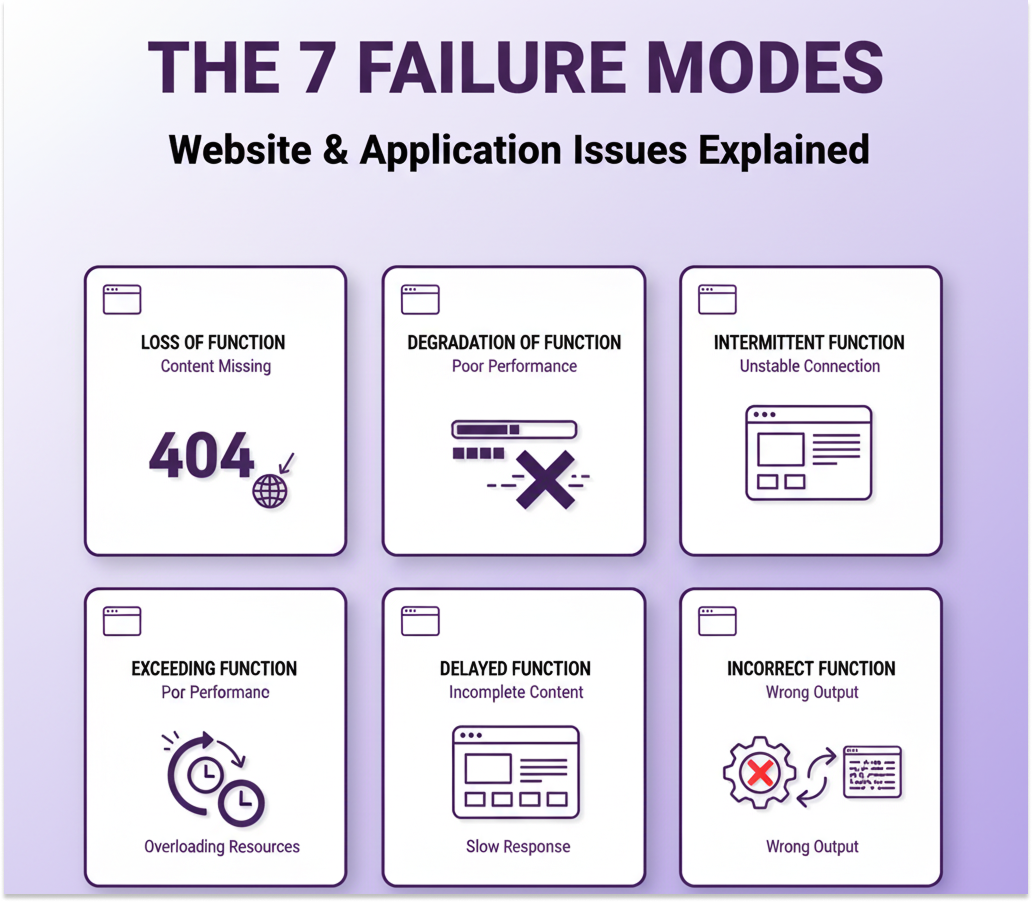
Website redesigns often fail when businesses prioritize aesthetics over critical elements such as user experience, navigation, SEO, and lead generation. Ignoring these factors is a common reason a website redesigns fail occurs. Understanding these failure modes is essential to ensure your redesign drives engagement, boosts conversions, and delivers meaningful business results.
1. Loss of Function
What it is: Essential site features stop working entirely—broken links, malfunctioning forms, missing redirections, or navigation issues.
Impact: Reduces conversions, increases bounce rates, erodes trust, and hurts traffic and revenue.
Solution: Thorough QA, user testing, backup and rollback strategies, and continuous monitoring post-launch.
2. Degradation of Function
What it is: Features work but below optimal levels—some advanced functions fail on certain devices or browsers.
Solution: Implement graceful degradation to provide a simplified yet functional experience on older platforms while maximizing modern platform capabilities.
3. Intermittent Function
What it is: Features work inconsistently, sometimes failing depending on the device, browser, or situation.
Impact: Frustrates users, reduces trust, and causes missed conversions.
Solution: Detect and fix issues via rigorous testing, monitoring, and iterative improvements.
4. Partial Function
What it is: Only parts of the site are updated, leaving some sections untouched.
When it works: Helps address critical issues quickly without the cost, risk, or time of a full redesign.
Tip: Use partial redesigns strategically to enhance key areas without compromising site integrity.
5. Exceeding Function
What it is: Adding unnecessary features or complexity beyond user needs.
Risk: Can confuse users, slow performance, and complicate maintenance.
Solution: Balance innovation with simplicity to enhance functionality without overwhelming users.
6. Delayed Function
What it is: Key features are not operational when expected, due to missed deadlines, slow content, or technical issues.
Impact: Disrupts user experience, SEO, marketing campaigns, and growth.
Solution: Set realistic timelines, prioritize critical features, and ensure strong project coordination.
7. Unintended Function
What it is: Features or behaviors occur unintentionally, causing broken links, navigation errors, or unexpected display issues.
Impact: Confuses users, reduces trust, and harms conversions.
Solution: Emphasize thorough testing, QA, and validation to ensure all functions work as intended.
Key Takeaway:
By recognizing these seven common failure modes—loss, degradation, intermittent, partial, exceeding, delayed, and unintended function—businesses can avoid a website redesigns fail. Proper planning, thorough testing, and careful execution ensure the redesigned site enhances usability, performance, and results. Now, let’s explore the best practices for a successful website redesign.
he Fail-Safe Website Redesign Framework: Discover, Pilot, Scale
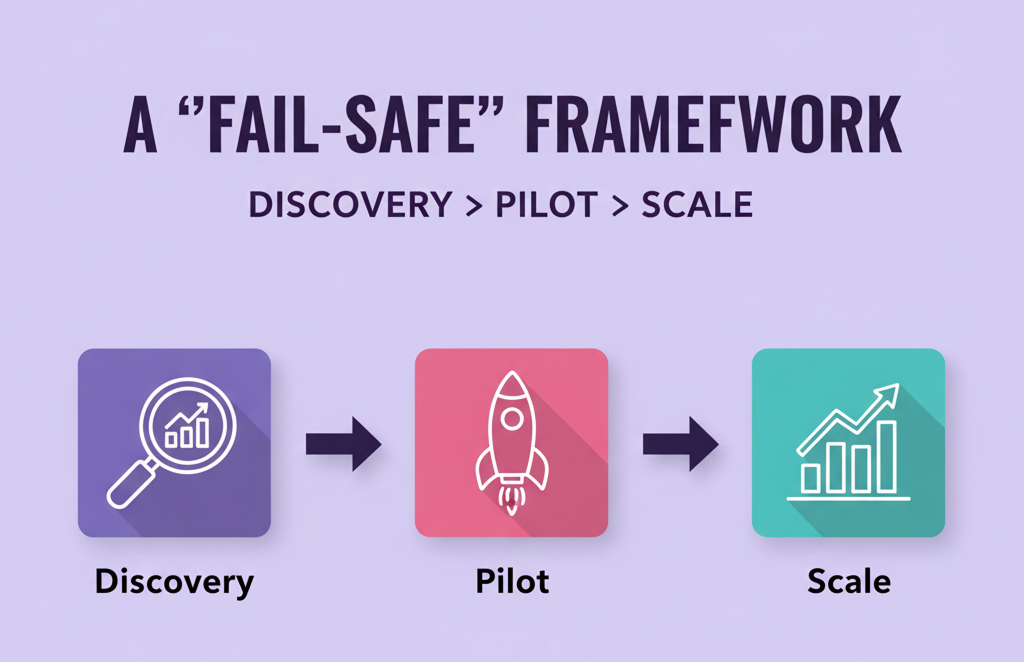
A controlled failure framework helps businesses prevent a website redesigns fail by ensuring that if issues arise, critical functions, data, and user experience stay protected. Applying this approach allows teams to manage risks effectively and avoid costly setbacks during the redesign process.
1. Discovery
The foundation of any successful redesign is a thorough discovery phase, which evaluates the current website’s performance, user behavior, technical issues, and business objectives. Activities like stakeholder interviews, SEO audits, competitive analysis, and user research help identify potential pitfalls. Setting clear, measurable goals—such as increasing conversion rates from 2.1% to 3.5% or reducing bounce rates by 15%—ensures the redesign stays on track and prevents a website redesigns fail after launch.
2. Pilot
Start by testing redesigns on high-impact pages through a small, controlled pilot. This approach allows teams to gather user feedback, refine designs, and measure performance without jeopardizing the entire site. Pilots help prevent a website redesigns fail by reducing SEO migration risks, lowering costs, and identifying unforeseen issues early.
3. Scale
Once the pilot is validated, gradually scale the redesign across the entire site. Continuously monitor metrics and user feedback to maintain performance, safeguard SEO, and ensure seamless business operations. This phased approach minimizes the risk of a website redesigns fail and turns the redesign into a strategic growth initiative rather than a disruptive event.
Site Migration Best Practices: SEO & Analytics Guardrails
For business website redesigns, migration guardrails are essential technical and SEO best practices that ensure a smooth, secure transition while protecting search rankings, traffic, and user experience.
Without them, redesigns risk lost visibility, broken URLs, disrupted user journeys, and revenue decline. Poor SEO handling—like missing 301 redirects, unoptimized sitemaps, or slow mobile performance—can severely impact both users and search engines.
Benefits of migration guardrails:
- Preserve SEO rankings and organic traffic.
- Maintain seamless user experience and navigation.
- Minimize downtime and project risks.
- Enable full ROI from the redesign investment.
- Support continuous monitoring and rapid issue resolution.
- Protect brand reputation and business value.
By implementing these guardrails, businesses transform a risky redesign into a controlled, opportunity-driven upgrade that safeguards both performance and growth. into a controlled, opportunity-driven transformation that aligns tightly with your business objectives and growth plans.
Executive Dashboard: Key KPIs for Each Phase
An effective executive dashboard combines strategic insight with operational oversight, giving leaders a clear view of high-level KPIs while allowing drill-down into detailed data to see which pages drive sales and engagement.
A common mistake is focusing on “vanity metrics”—numbers that look impressive but don’t reflect real business outcomes. The key is connecting data, value, and business goals.
Top 5 KPIs for tracking a website redesign:
- Conversion Rate – Measures how well the new design supports sales, leads, or sign-ups.
- Bounce Rate – Highlights engagement issues quickly.
- Page Load Speed – Fast pages retain users and improve SEO.
- Organic Traffic – Indicates site visibility and growth potential.
- User Engagement – Shows how effectively the redesign encourages exploration and conversions.
By tracking the right metrics, CEOs and CFOs can validate content investments, guide digital strategy, and ensure the redesign delivers long-term value and growth. Ignoring these metrics is a common cause of a website redesigns fail. For example, in an e-commerce redesign, mapping buyers’ journeys and monitoring micro-conversions is essential to accurately measure performance and optimize results.
Final Thoughts
Businesses and executives should assess how their website redesign impacts the bottom line and identify potential mistakes. KPIs on the executive dashboard should be tailored to each business, as priorities differ. Ignoring this alignment is a common cause of a website redesigns fail. A focused, data-driven approach ensures a stronger redesign strategy and successful implementation.
FAQ
- How long should a safe redesign take?
To prevent website redesigns fail, a safe redesign timeline usually spans 3 to 9 months, depending on project size, complexity, and resources. This schedule covers discovery and planning, design and prototyping, development and content migration, testing and quality assurance, and launch with post-launch optimization to ensure a smooth, successful rollout. - What’s the minimum SEO checklist for launch?
It is a good practice to have at least 8 SEO checklist items for launch and site migration, such as
- Setting up 301 redirects and 404 error pages
- Revamp site architecture
- Configure analytic tools and search consoles
- Update XML Sitemap and Robots.txt
- Implement Canonical Tags
- Page Speed Optimization
- Check for Broken Links and Errors
- Content Integrity and Keyword Optimization
- How to align brand/UX/SEO without delays?
To prevent website redesigns fail, ensure early collaboration and clear communication between brand, UX, and SEO teams. Prioritize user-centered design with mobile-first responsiveness, fast loading pages, and intuitive navigation, while seamlessly integrating SEO best practices like keyword optimization and meta tags. Set shared goals and workflows to deliver a cohesive, high-impact digital experience on time. - When should we pivot vs persist after launch?
To avoid website redesigns fail, carefully assess key performance metrics and user feedback before deciding whether to pivot or persist after launch. Continue when the product meets core goals, shows steady growth, and resonates with the target audience. Consider a pivot if there’s poor product-market fit, declining engagement or revenue despite sustained efforts, negative customer feedback, or strong competitive pressure. A successful pivot is data-driven, targets identified gaps, and follows a clear plan to minimize disruption. Timing is critical—pivot too early without validation or too late, and market opportunities may be lost.