

click to get service View profile
Your tech stack is growing, and every department has its own cloud tools. While each one solves a specific problem, they’re not integrated. Data gets trapped in silos, teams repeat work manually, and decisions get made on incomplete information.
However, here’s what changes when you connect these tools: SaaS integration platforms link your cloud applications so they function as a single, cohesive system, creating a truly integrated SaaS software environment. Information flows seamlessly between tools, workflows automate themselves, and your team stops wasting time on manual data entry. The result? Better collaboration, smarter decisions, and workflows that actually keep pace with your business.
In this blog, we’ll explore what SaaS integration means, the different integration methods, the benefits it brings, and the challenges you should prepare for.
What Is SaaS Integration?
SaaS integration means connecting cloud-based tools so they share information automatically. When one system is updated, the change appears across all other connected apps right away.
Think of it like linking Google Sheets with your CRM. When you update a customer’s phone number in the CRM, it also updates in your contact database and email platform — no copying, no errors.
In simple terms, SaaS integration software acts as a bridge that lets different applications exchange data smoothly and stay in sync.
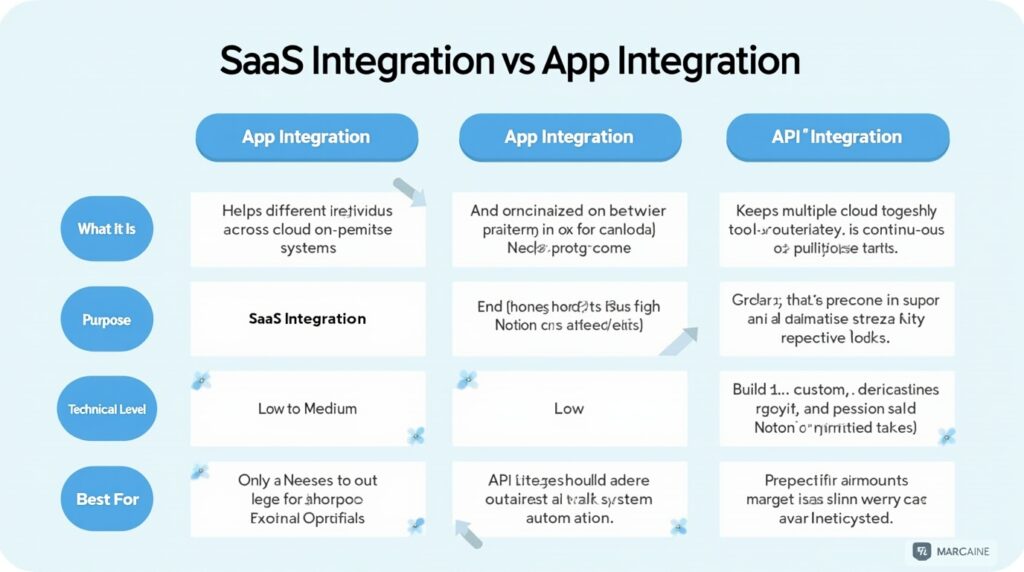
SaaS Integration vs App Integration vs API Integration
Before we go further, let’s contrast three approaches by name: App Integration, SaaS Integration, and API Integration. In B2B environments, selecting the right integration platform for B2B SaaS is crucial for efficient scaling. Understanding the difference helps you choose the right method for your business.
Examples of SaaS Integration
Real-world examples help show how integration works in practice. When different SaaS tools communicate smoothly, everyday business tasks become faster and more accurate. These are just a few SaaS integration examples that show how connecting tools drives efficiency and clarity:
- CRM + Marketing (Salesforce + HubSpot): When a new lead is captured in HubSpot, it instantly appears in Salesforce. Sales can follow up immediately, and marketing can track how leads progress through the funnel.
- eCommerce + Accounting (Shopify + QuickBooks): Orders placed in Shopify automatically generate invoices and update inventory in QuickBooks. This ensures accurate finances and stock levels without requiring manual data entry.
- HR + Communication (BambooHR + Slack): When a new employee joins, BambooHR sends an onboarding message to Slack, notifying managers and teammates. This makes internal communication quick and consistent.
- Analytics + Customer Support (Zendesk + Mixpanel): Zendesk shares support ticket data with Mixpanel so teams can analyze which product issues cause the most customer complaints. It helps prioritize improvements and enhance user experience.
How to Integrate SaaS Applications
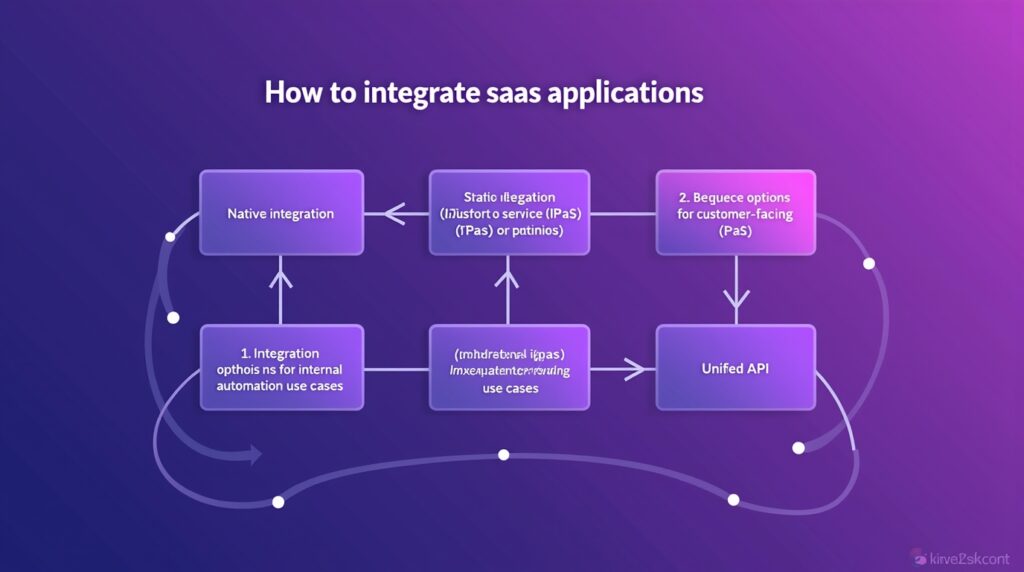
Successful SaaS integration requires a strategic balance between your business objectives and technical capabilities. The ideal approach depends on your goals—whether you’re looking to connect and optimize your company’s internal systems or enable powerful integration options directly within your SaaS product. By aligning integration strategy with your broader business vision, you can create a more connected, scalable, and efficient digital ecosystem.
Let’s explore both perspectives in detail.
Integration Options for Internal Use Cases
These methods are designed to improve how teams work across departments by connecting everyday tools.
1. Native Integration (or Custom Integration)
A native integration is a built-in connector provided by the app itself. It lets you link one SaaS product to another instantly without any setup. For example, Slack connects to Google Drive so users can share files directly in chat.
A custom integration goes deeper. It’s created by developers using APIs to connect systems that don’t already integrate. This option gives you full control over what data flows between platforms and how it behaves.
Native integrations are simple and quick to use but limited to predefined options. Custom integrations require more time and technical skill but offer flexibility for unique business needs.
2. Integration Platform as a Service (iPaaS)
An Integration Platform as a Service (iPaaS) is a cloud solution that helps connect all your applications through one dashboard. Tools like Zapier, Make, or Workato allow you to build integrations visually using drag-and-drop workflows.
For example, with the power of SaaS integration through an iPaaS platform, when a new customer completes a Typeform, the system can automatically create a lead in Salesforce, send a Slack notification to the sales team, and trigger a personalized welcome email—all without any manual effort. This level of automation ensures faster response times, improved collaboration, and a seamless customer onboarding experience.
iPaaS is ideal for teams managing multiple SaaS tools that need quick automation, without requiring developers for every task.
3. Robotic Process Automation (RPA)
RPA automates tasks by mimicking human actions on your screen — like clicking, typing, or transferring data between apps. It’s useful when a system doesn’t have an API or when processes span across legacy and modern tools.
Imagine an accounting assistant who manually copies invoice data from PDFs into your ERP system. With SaaS integration combined with Robotic Process Automation (RPA), this entire process happens automatically—eliminating repetitive tasks and saving valuable time. It acts as a smart bridge that seamlessly connects legacy systems with modern cloud-based applications, ensuring smoother data flow and greater operational efficiency.
Integration Options for Customer-Facing Use Cases
If you’re a SaaS company, integrating with your users’ favorite tools can significantly increase product value and retention. Here are two powerful ways to achieve that.
1. Embedded iPaaS (EiPaaS)
Embedded iPaaS solutions like Paragon, Merge.dev, or Tray.io let SaaS companies embed ready-made integrations directly into their products. This means your customers can connect tools like HubSpot, Slack, or QuickBooks without ever leaving your platform.
With SaaS integration, developers no longer need to code and maintain dozens of separate connections manually. By using a single embedded integration framework that supports hundreds of external tools, they can save valuable development time, minimize engineering complexity, and deliver greater flexibility to end-users. This streamlined approach not only accelerates product development but also enhances the overall integration experience for customers.
2. Unified API
A Unified API takes integration efficiency a step further. It combines multiple APIs into a single standardized connection. Developers integrate your app with this single API and instantly access multiple systems — like HR, CRM, or accounting software.
For example, with SaaS integration powered by a Unified API, an analytics platform can connect to tools like Workday, BambooHR, and Gusto simultaneously. Instead of managing and maintaining three separate integrations, it only needs one centralized connection. This approach simplifies system management, reduces development costs, and ensures a consistent and reliable data flow across all connected applications.
Unified APIs are best for fast-scaling SaaS companies that want to offer many integration options without heavy development effort.
What Are the Benefits of SaaS Integration?
1. Streamlined Workflows
Integration eliminates repetitive manual tasks by enabling automatic data transfer between tools. Teams save time, reduce errors, and focus on work that actually matters instead of copying information between systems.
2. Improved Data Accuracy
When tools are connected, data updates in one place instantly reflect everywhere else. This eliminates inconsistencies and ensures everyone works with accurate, up-to-date information across all platforms.
3. Better Collaboration
Integration breaks down departmental silos by giving teams shared access to the same real-time data. This creates transparency and enables smoother coordination across marketing, sales, support, and other functions.
4. Scalability and Flexibility
As your business grows, integrated systems adapt easily. You can add or replace tools without disrupting existing workflows, allowing your tech stack to evolve with your needs.
5. Faster Insights and Decision-Making
Connected systems provide a unified view of your business data in real-time. This visibility enables quicker, more informed decisions based on complete and current information rather than fragmented reports.
What Are the Challenges in SaaS Integration?
1. API Limitations
Not all software is equally easy to connect. Some tools limit how often you can pull data or don’t provide clear instructions on how to integrate. This can make connections unreliable or prevent you from accessing the information you need.
2. Data Mapping and Transformation
Different tools organize information differently. One app might call something a “customer” while another calls it a “contact.” Making sure data translates correctly between systems takes careful planning, or information can end up in the wrong place.
3. Security and Compliance
Every connection between tools creates a potential security risk. You need to protect data with encryption and control who can access what. You also need to follow privacy laws and industry regulations as information moves between systems.
4. Maintenance and Reliability
Integrations aren’t “set it and forget it.” Software updates can break connections, login credentials expire, and data formats change. Without regular check-ups, your integrations can stop working without warning.
5. Skill and Resource Gaps
Setting up and maintaining integrations requires technical knowledge. Most businesses don’t have the in-house expertise and need to hire developers or use specialized services to keep everything running smoothly.
Final Thoughts
Getting SaaS integration right isn’t just about connecting tools—it’s about creating a unified ecosystem that drives efficiency, collaboration, and growth. When your systems work together seamlessly, your teams spend less time switching between platforms and more time focusing on what truly matters: delivering value to customers and scaling your business.
By choosing the right integration strategy, automating workflows, and continuously optimizing your tech stack, you can turn SaaS integration into a powerful engine for seamless business growth.